
Connect to Chainflip’s LP suite with Your EVM Wallet

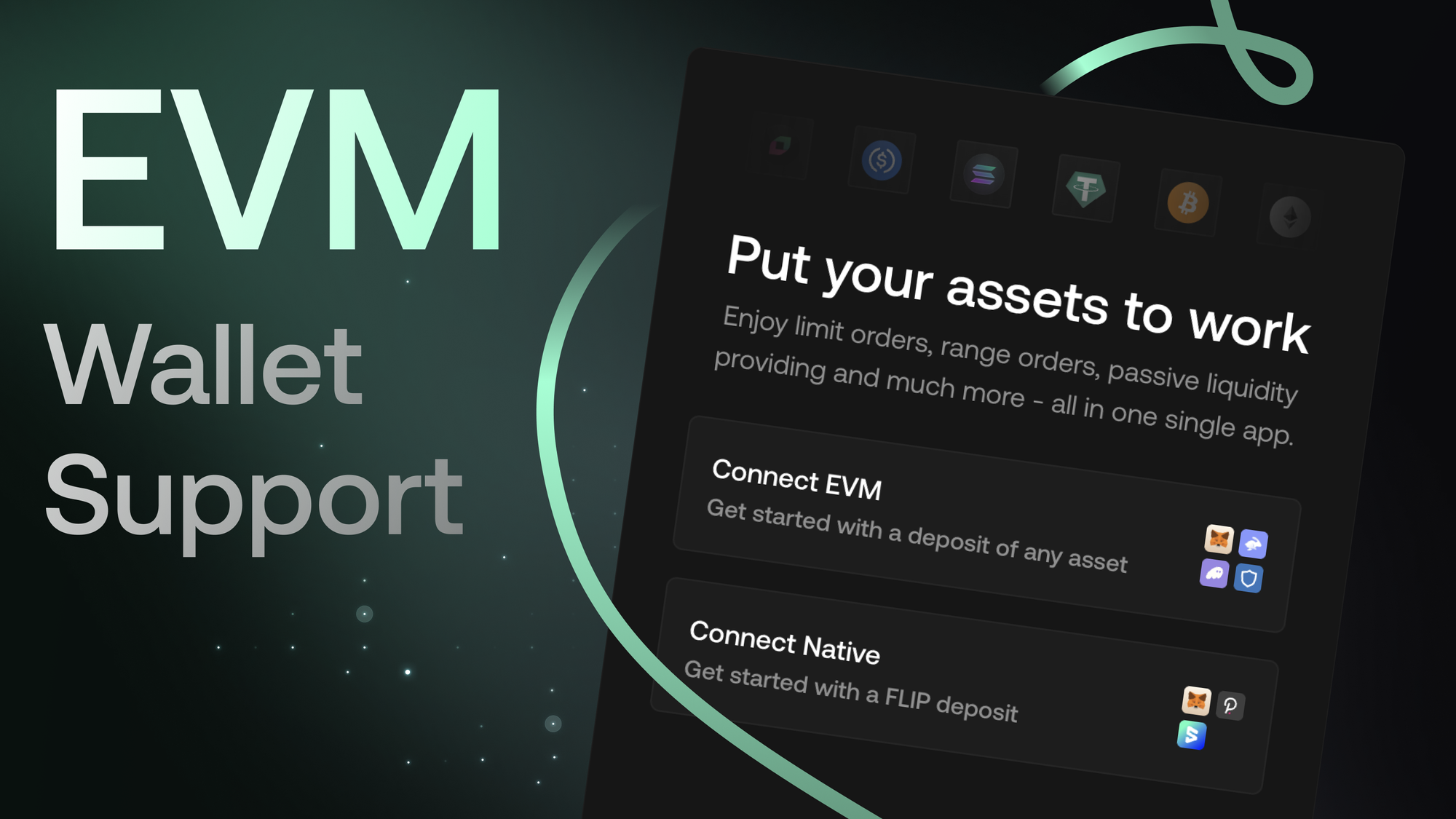
No Polkadot.js. Just your EVM wallet.
Providing liquidity on Chainflip just got a lot easier.
You can now connect to the Chainflip LP app using your EVM wallet, making onboarding significantly easier and removing the need for Polkadot.js.
New LPs can onboard by depositing any supported asset, which is automatically swapped under the hood to fund and register your Chainflip account.
No Polkadot.js setup. No new wallet to manage.
This guide walks you through how it works and what you unlock once connected.
Why EVM Wallet Support Matters
If you’re coming from Ethereum or any EVM ecosystem, onboarding friction used to be the biggest hurdle.
With EVM wallet support, you can now:
- Connect using wallets you already use
- Access the full Chainflip LP product suite
- Manage everything from a single EVM account
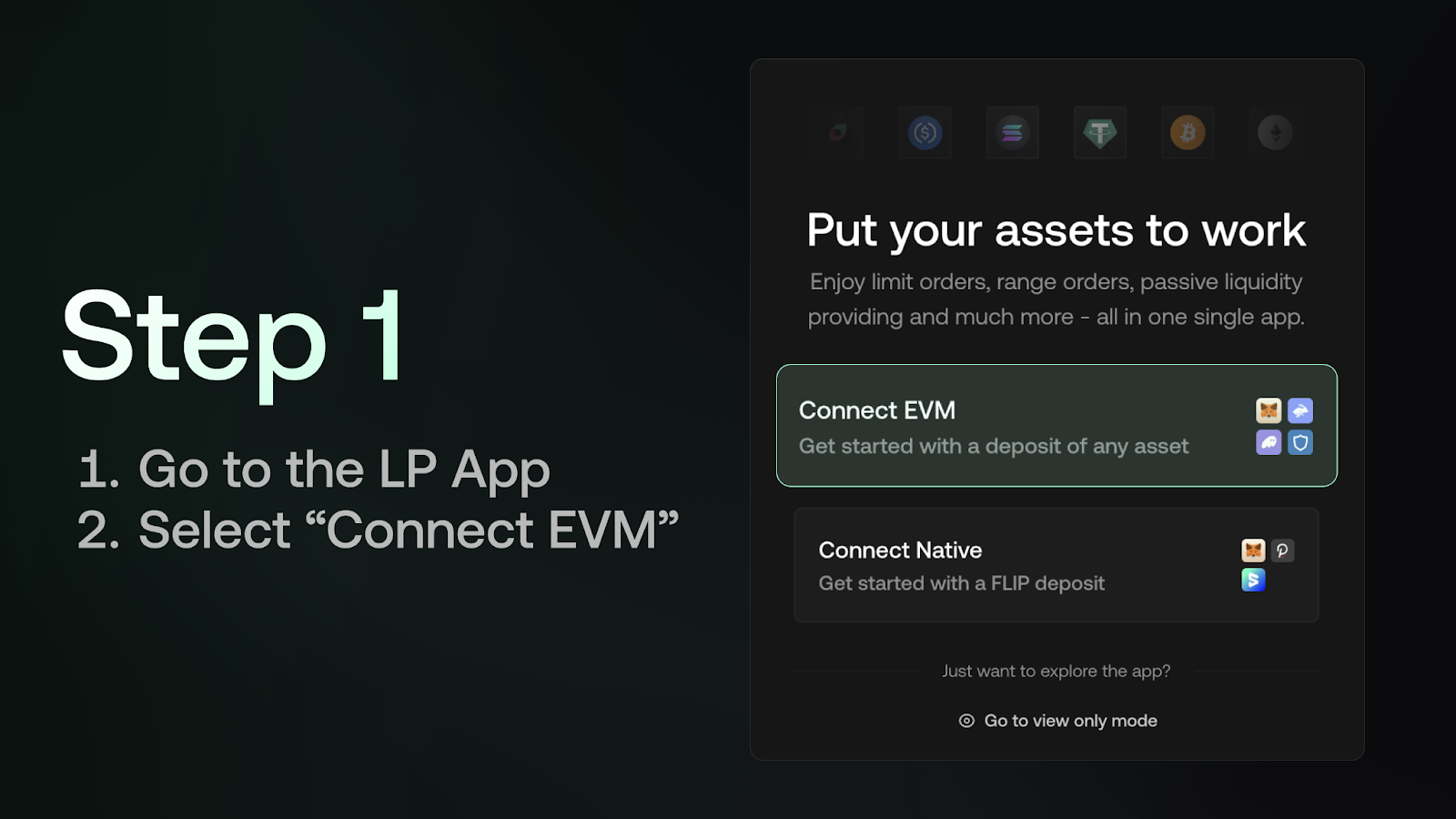
Step 1: Go to the LP App and Select “Connect EVM”
Head over to: lp.chainflip.io
On the connect screen, you’ll see two options:
- Connect EVM
- Connect Native (The legacy Polkadot.js flow)
If you’re new, select Connect EVM.
Step 2: Choose Your Wallet
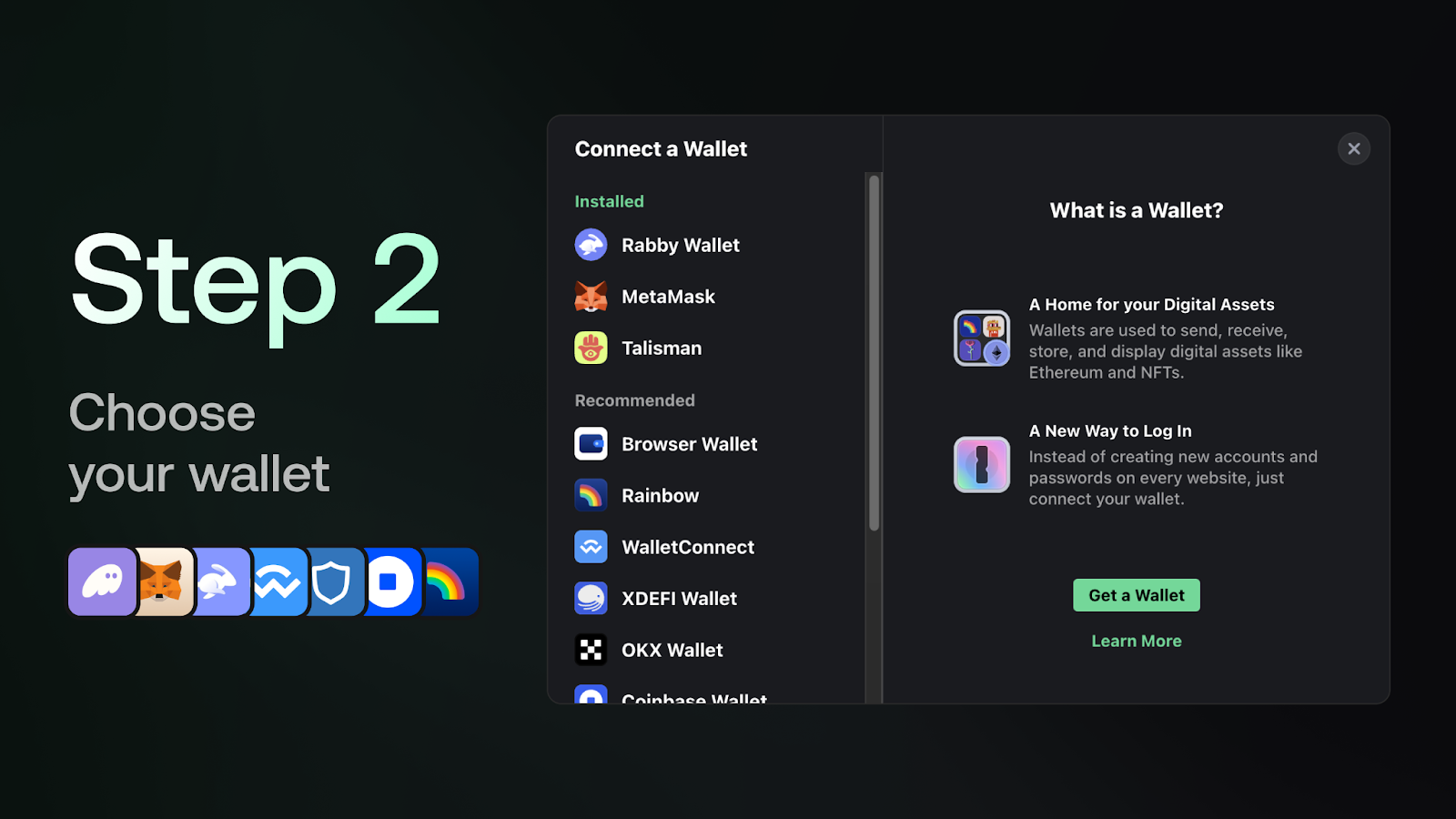
You’ll be prompted to select your preferred EVM wallet.
Chainflip supports a wide range of wallets, making it easy to connect whether you’re using:
- MetaMask
- Rabby
- Phantom
- Rainbow
- Or other popular EVM wallets
Once selected, approve the connection in your wallet.
Step 3: Set Refund Addresses Before Depositing
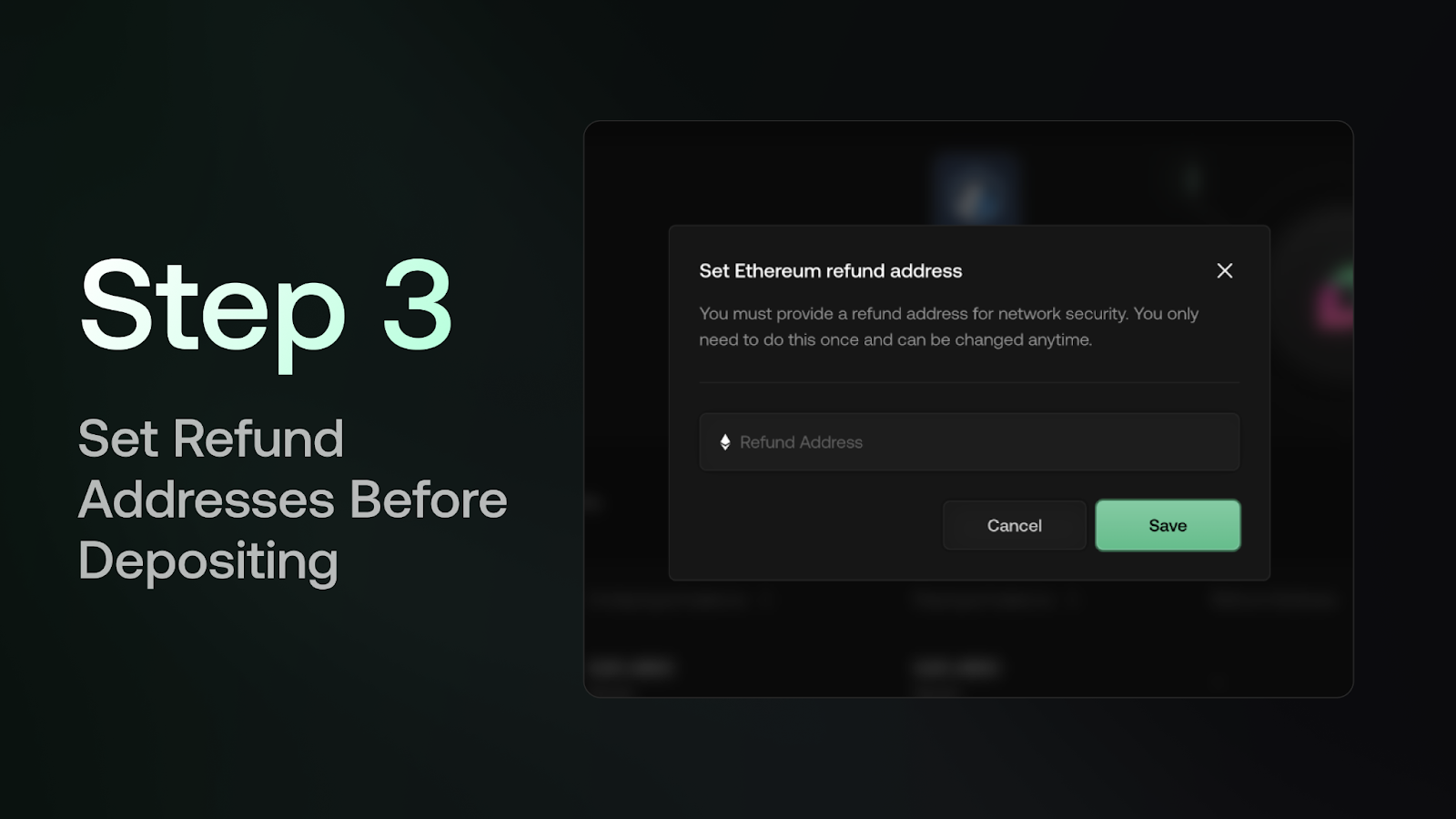
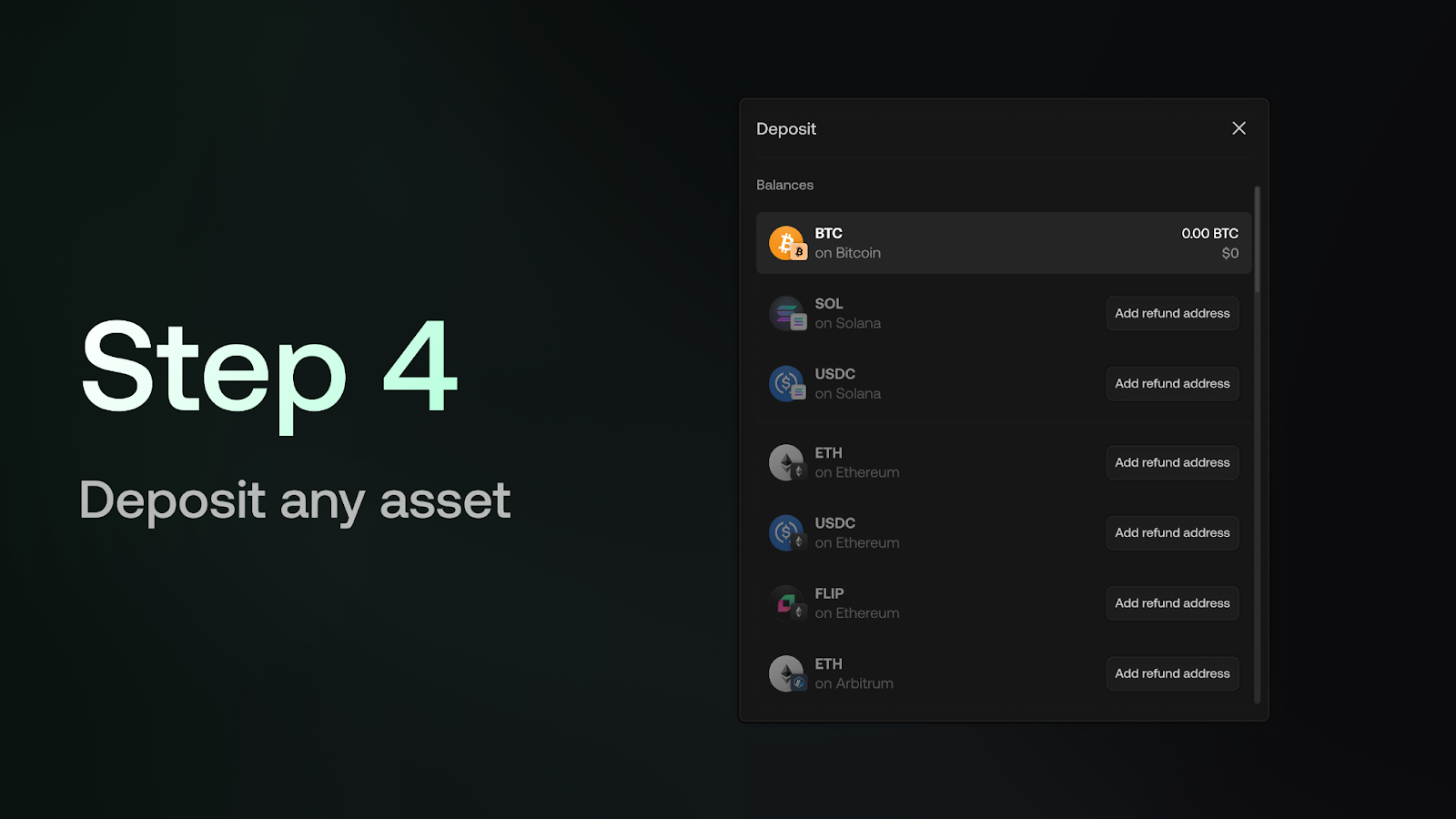
Before depositing any assets, you’ll need to set refund addresses for the assets you plan to use.
This is:
- Clearly labelled in the app
- Prompted automatically when required
- A one-time setup per chain
This ensures safety and correct handling of funds across chains.
Step 4: Deposit Any Asset
One of the biggest improvements with EVM wallet onboarding is how simple it is to fund your account.
You don’t need to acquire FLIP beforehand.
Instead:
- Deposit any supported asset
- The protocol automatically swaps what’s required to register and fund your account
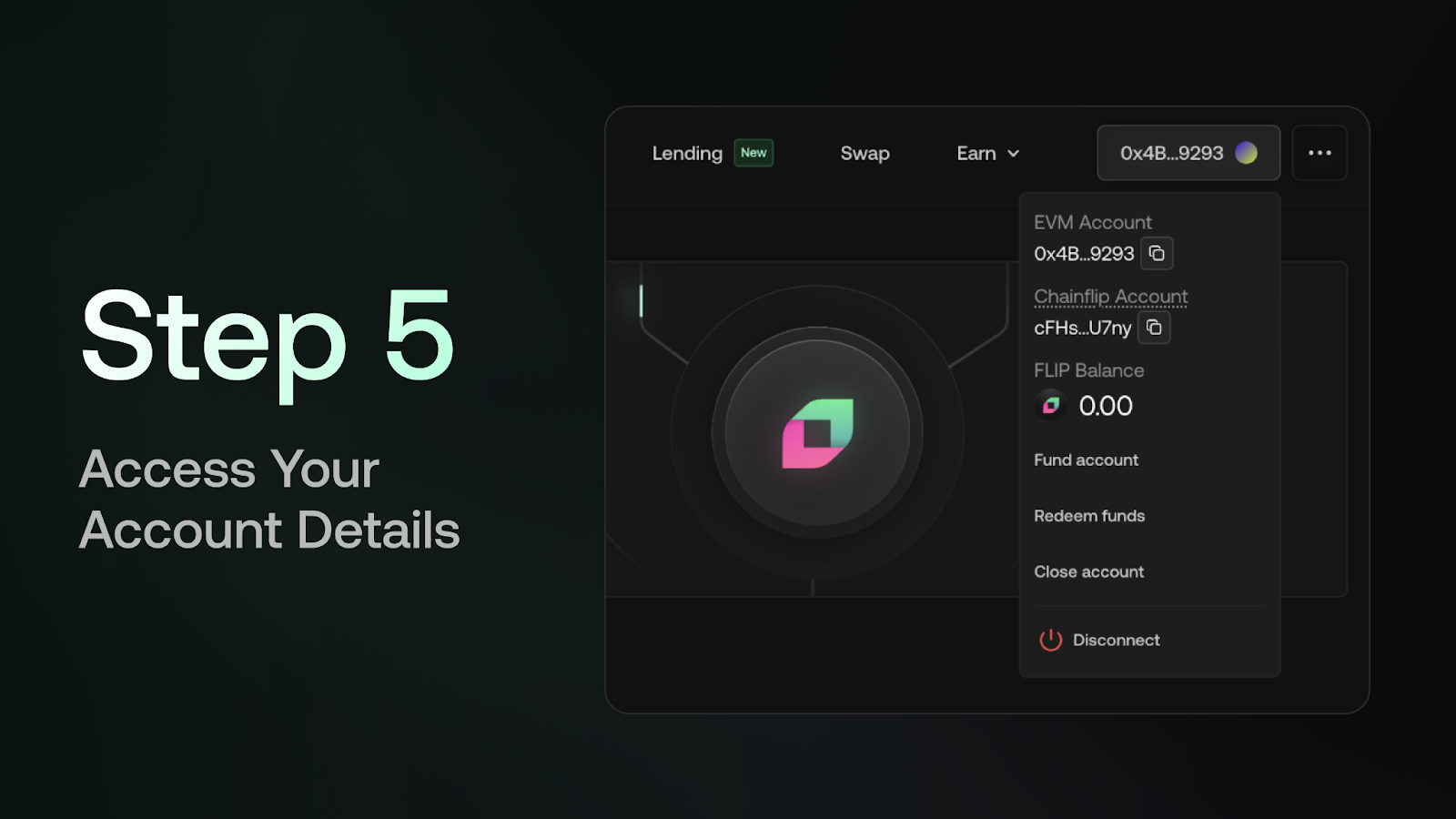
Step 5: Access Your Account Details
To view your details:
- Hover over the top-right account section
Here you’ll see:
- Your connected EVM address
- Your Chainflip Account ID
- Relevant account metadata
Everything is accessible from one place.
That’s It
No extra wallets. No protocol-specific setup. Onboard by simply depositing any asset.Just connect your EVM wallet, and access the full Chainflip LP product suite.
This update makes onboarding faster, simpler, and far more familiar for anyone coming from Ethereum, whether you’re actively market making or passively deploying capital.